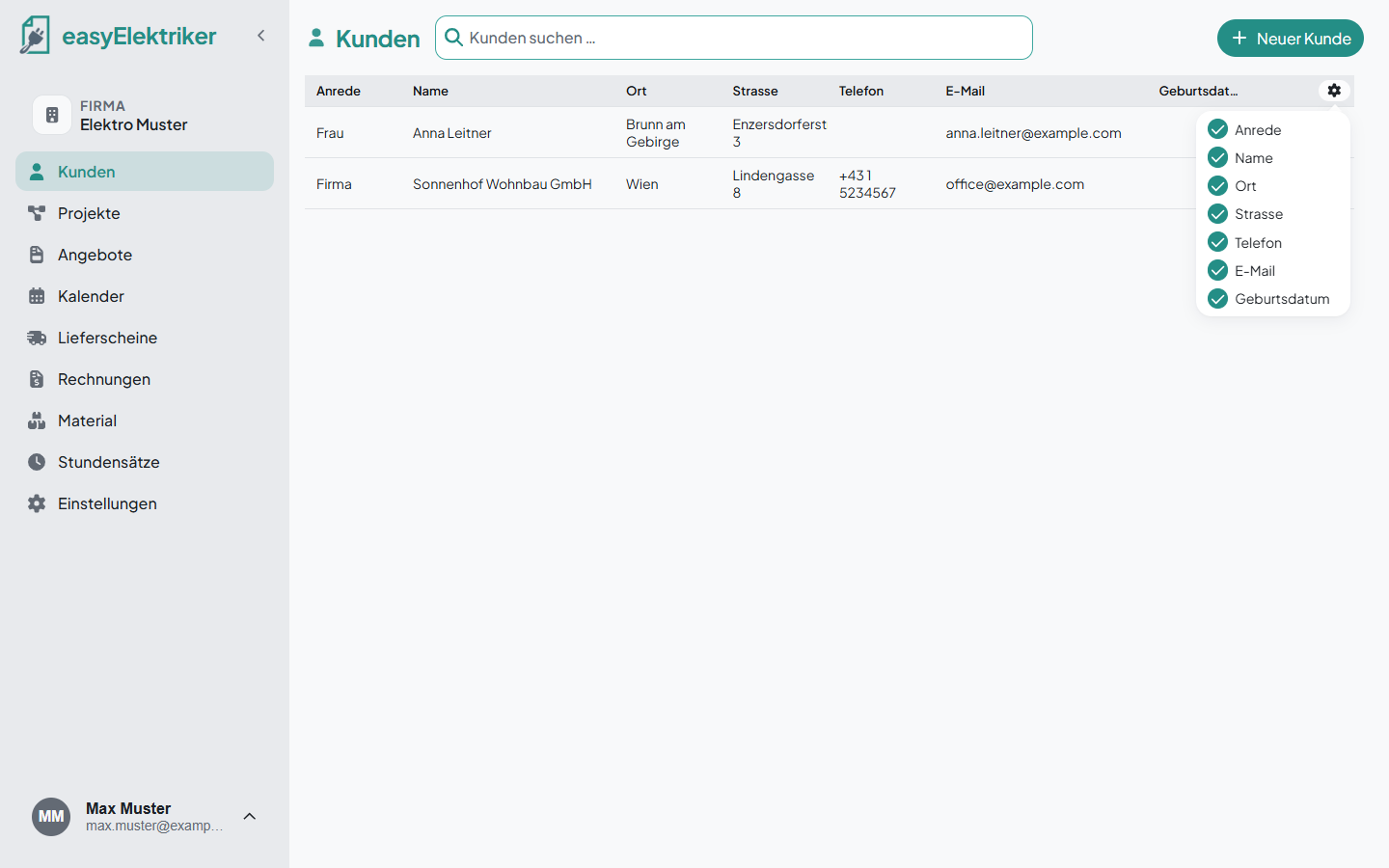
Customers are the foundation of easyElektriker. Projects, quotes and invoices always belong to a customer. All you need to create one is the last name, you can add everything else later. It doesn't get any easier.
Open „Kunden“ in the menu on the left and click „Neuer Kunde“.
Enter the last name. Everything else is optional.
Click „Kunde hinzufügen“.
Simply handy: As you type the street, easyElektriker suggests the complete address.
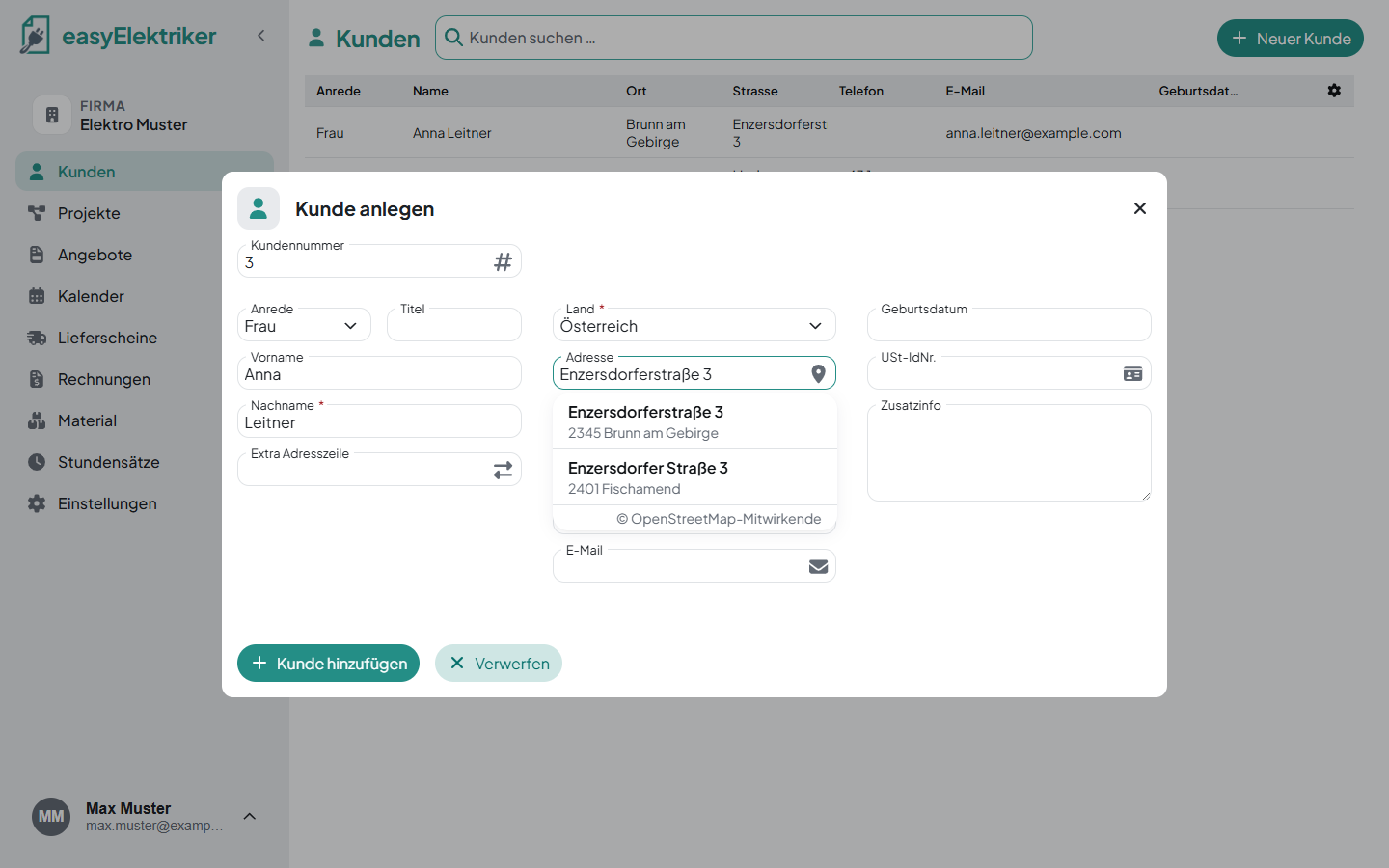
easyElektriker assigns the customer number automatically. You can still change it if you like.
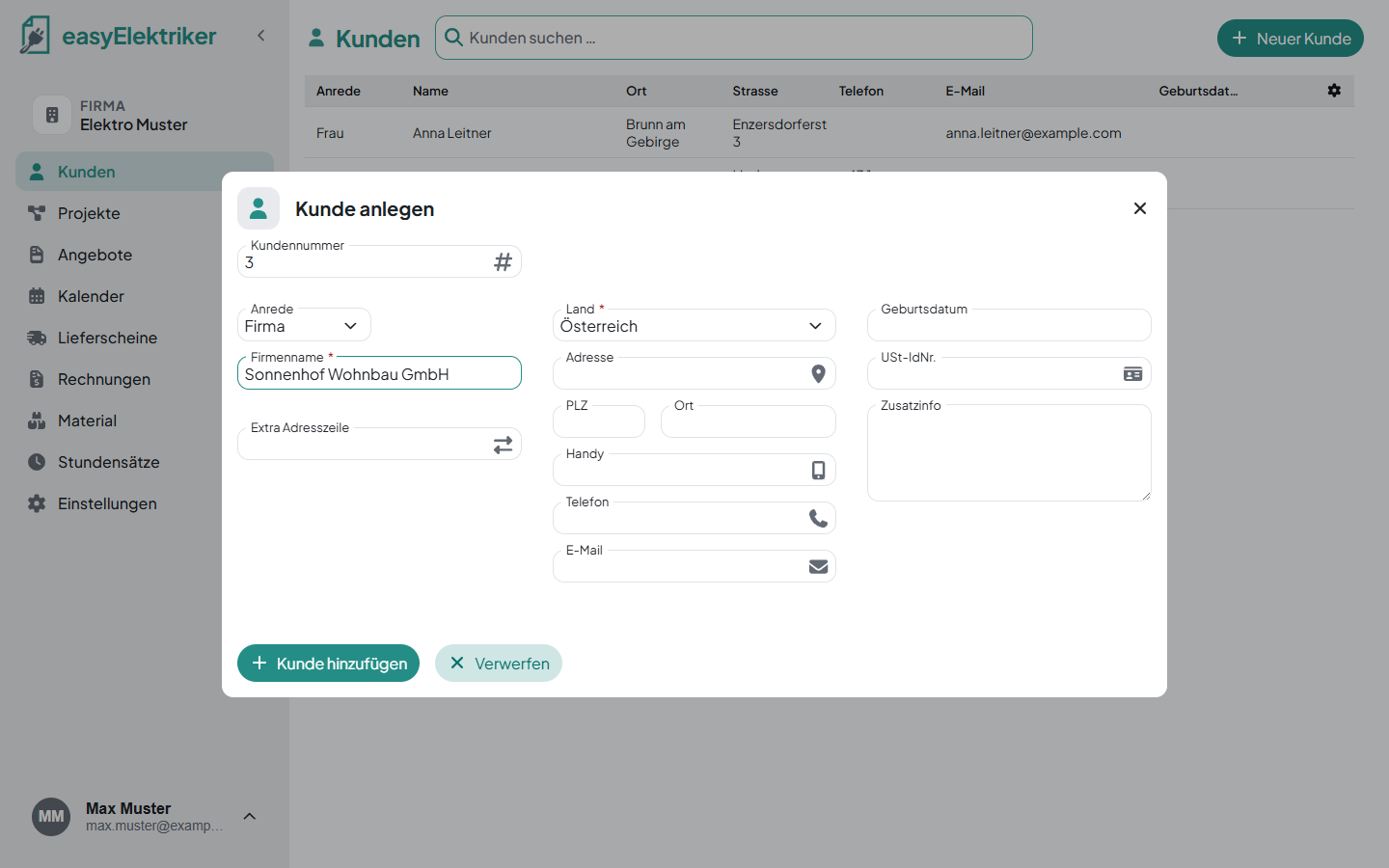
The salutation („Anrede“) can be Herr, Frau, Familie or Firma. If you choose „Firma“, the last name becomes the company name and the title and first name fields disappear. You also get a field for the VAT number.
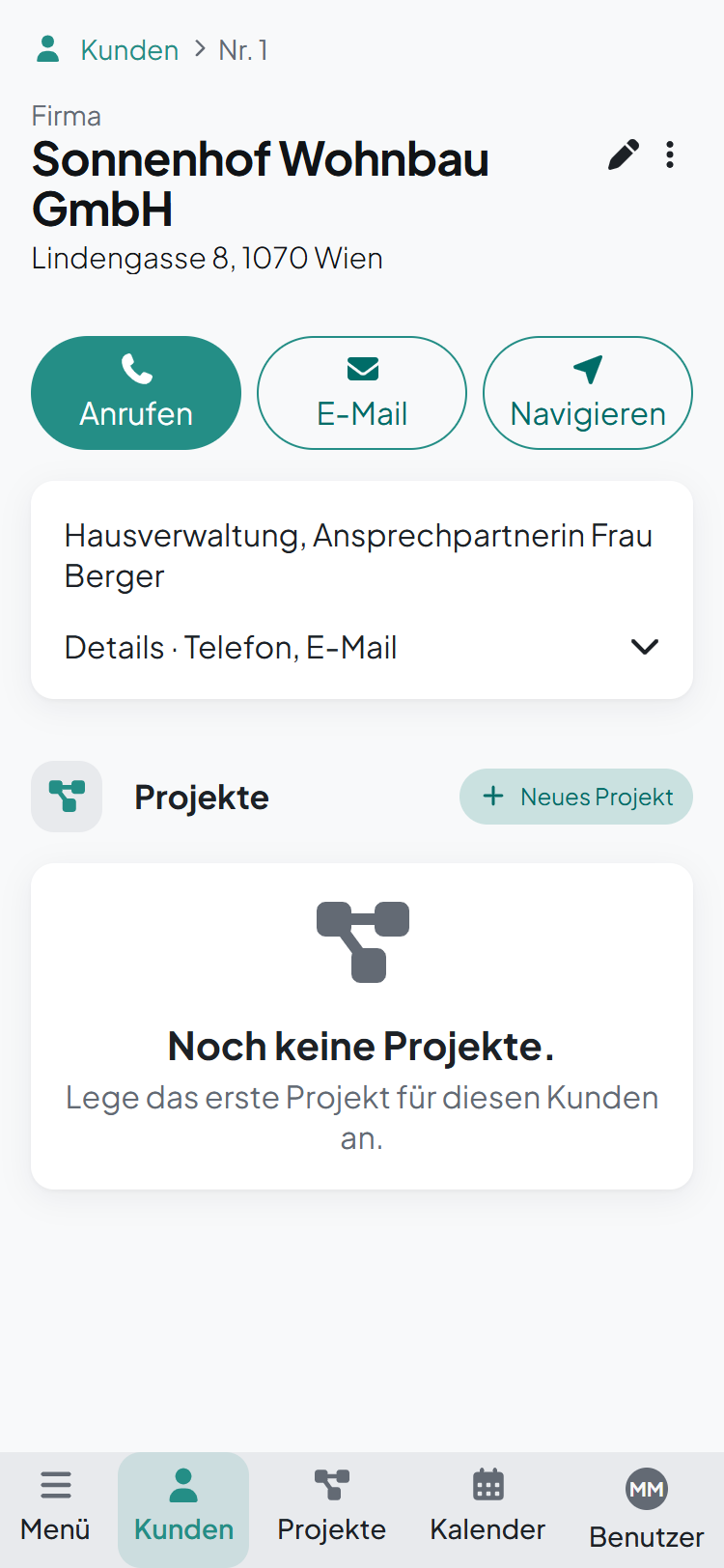
Click a row in the customer list to open the customer.
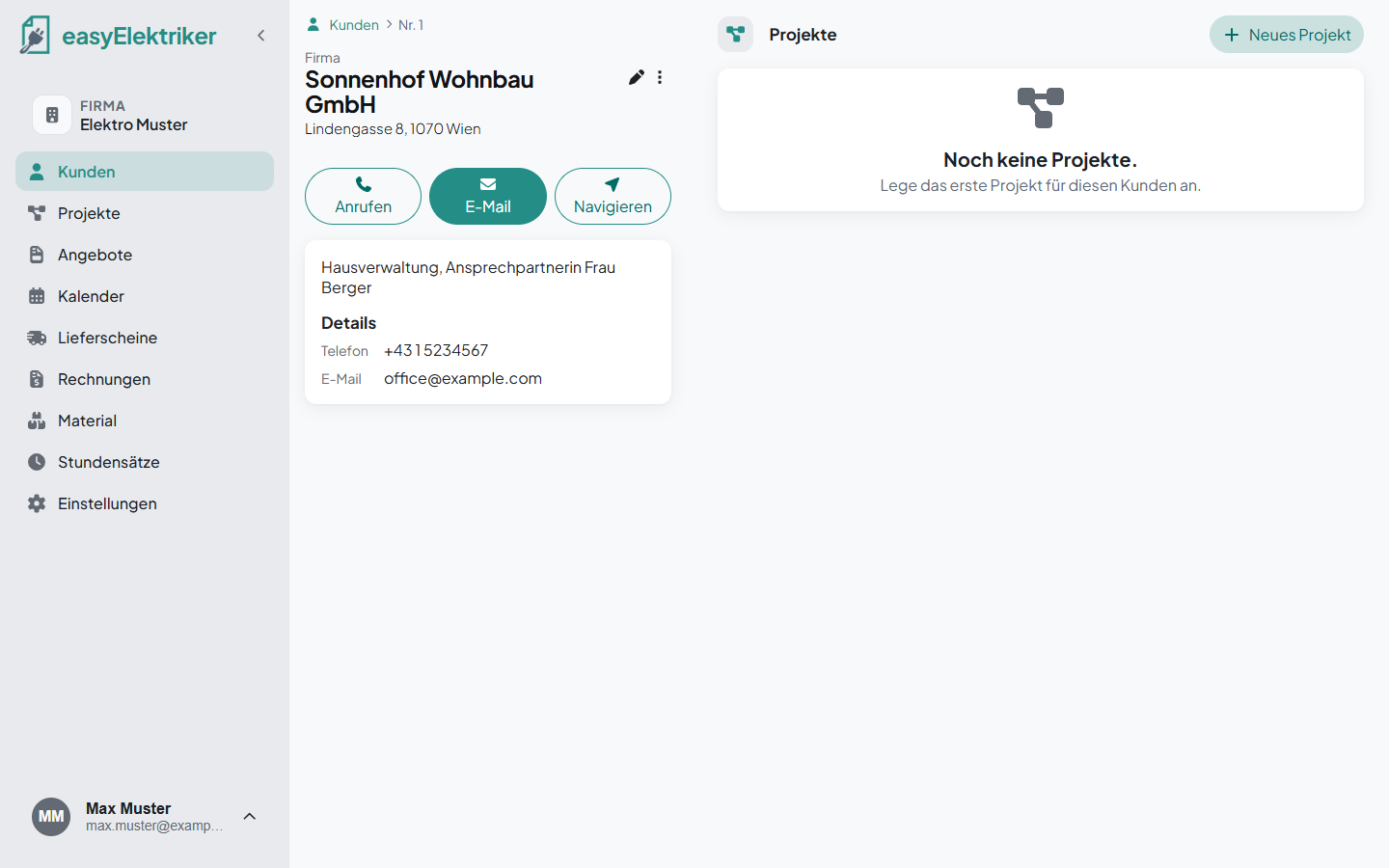
Simply handy: With the 3 big buttons you can get in touch right away.
Anrufen (call): If you're on your phone or your PC has calling software, you can call directly.
E-Mail: Opens your email program with a new message to the customer.
Navigieren (navigate): Opens Google Maps with the customer's address as the destination.
Below that you see the customer's projects. Click „Neues Projekt“ to create a project for this customer right away.
With our app, you always have your customers with you on the go.
Edit: Just click the small pencil.
Delete: On the customer page, click ⋮ and then „Kunde löschen“.
Search: Type into the „Kunden suchen …“ field at the top of the customer list.
Show and hide columns: In the customer list, click the gear at the top right and tick or untick columns.