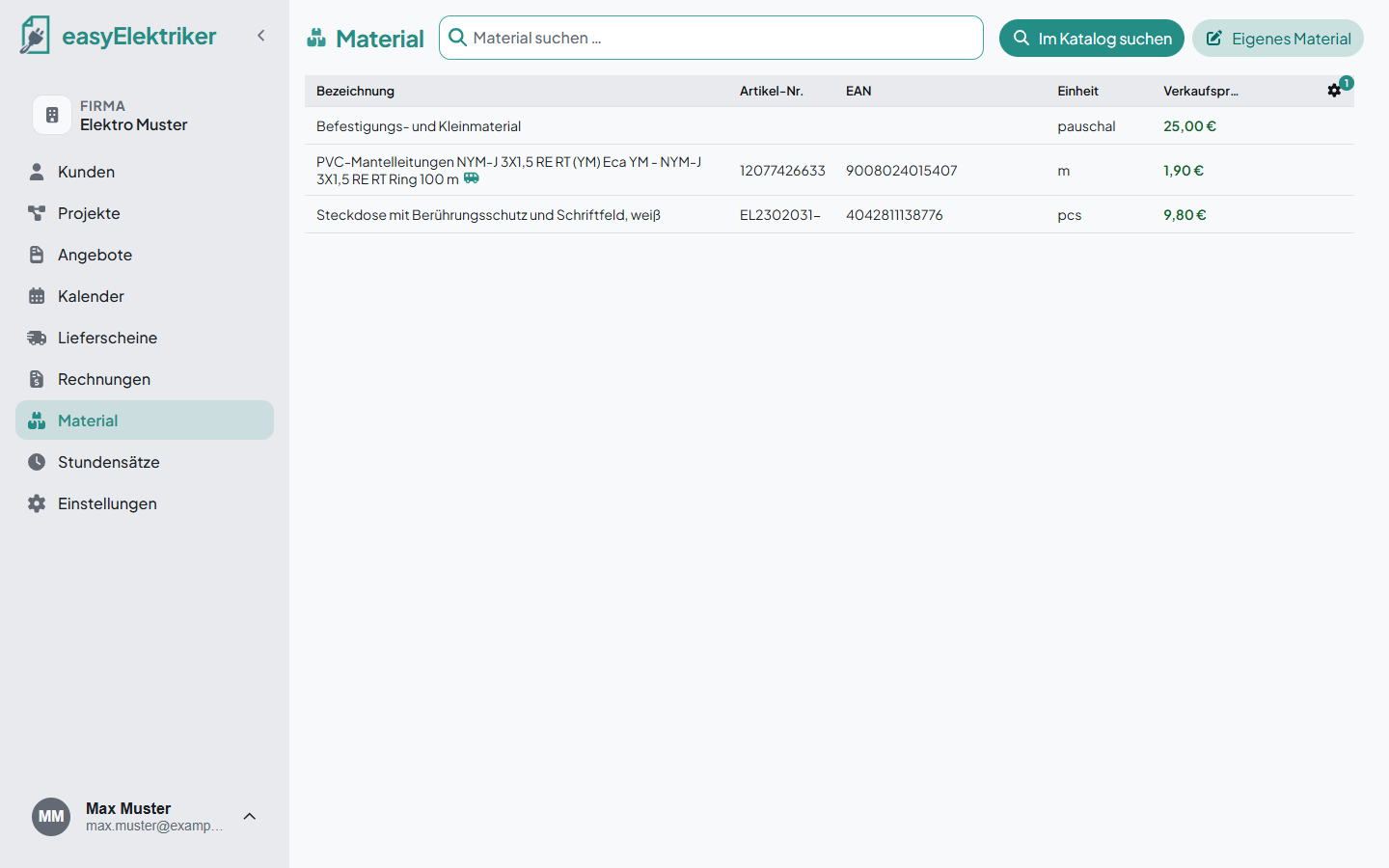
In the material list you keep everything you need often, so you can add it quickly to quotes, invoices and delivery notes later.
easyElektriker even comes with a large catalog of item data that you can use to build your material list or put straight into an invoice. It doesn't get any easier.
Open „Material“ in the menu on the left and click „Im Katalog suchen“ (search catalog).
Type the name, item number or EAN and click the matching item.
Enter your selling price and click „Erstellen“ (create).
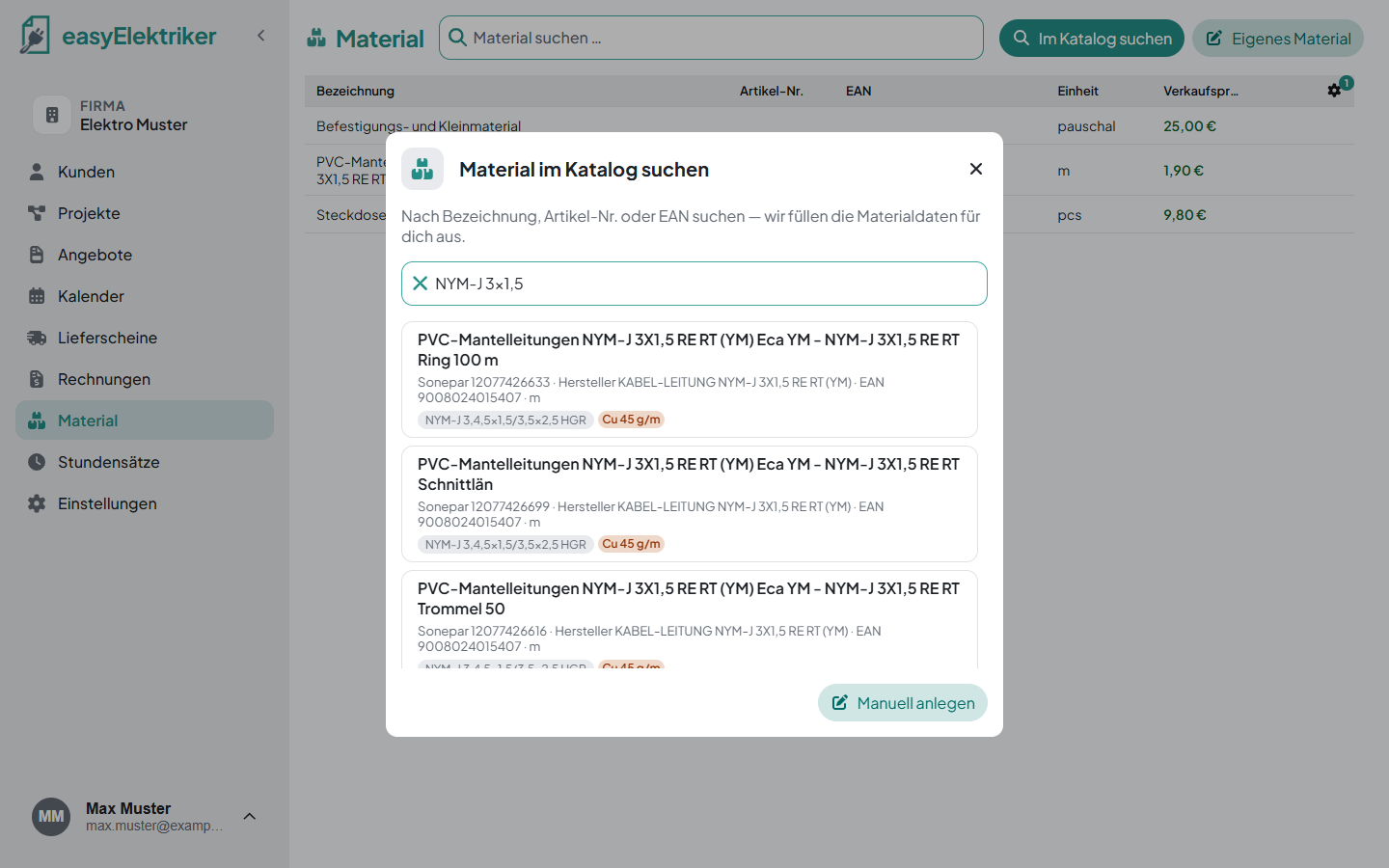
Simply handy: easyElektriker fills in the name, item number, EAN and unit for you. The copper weight is taken over automatically too.
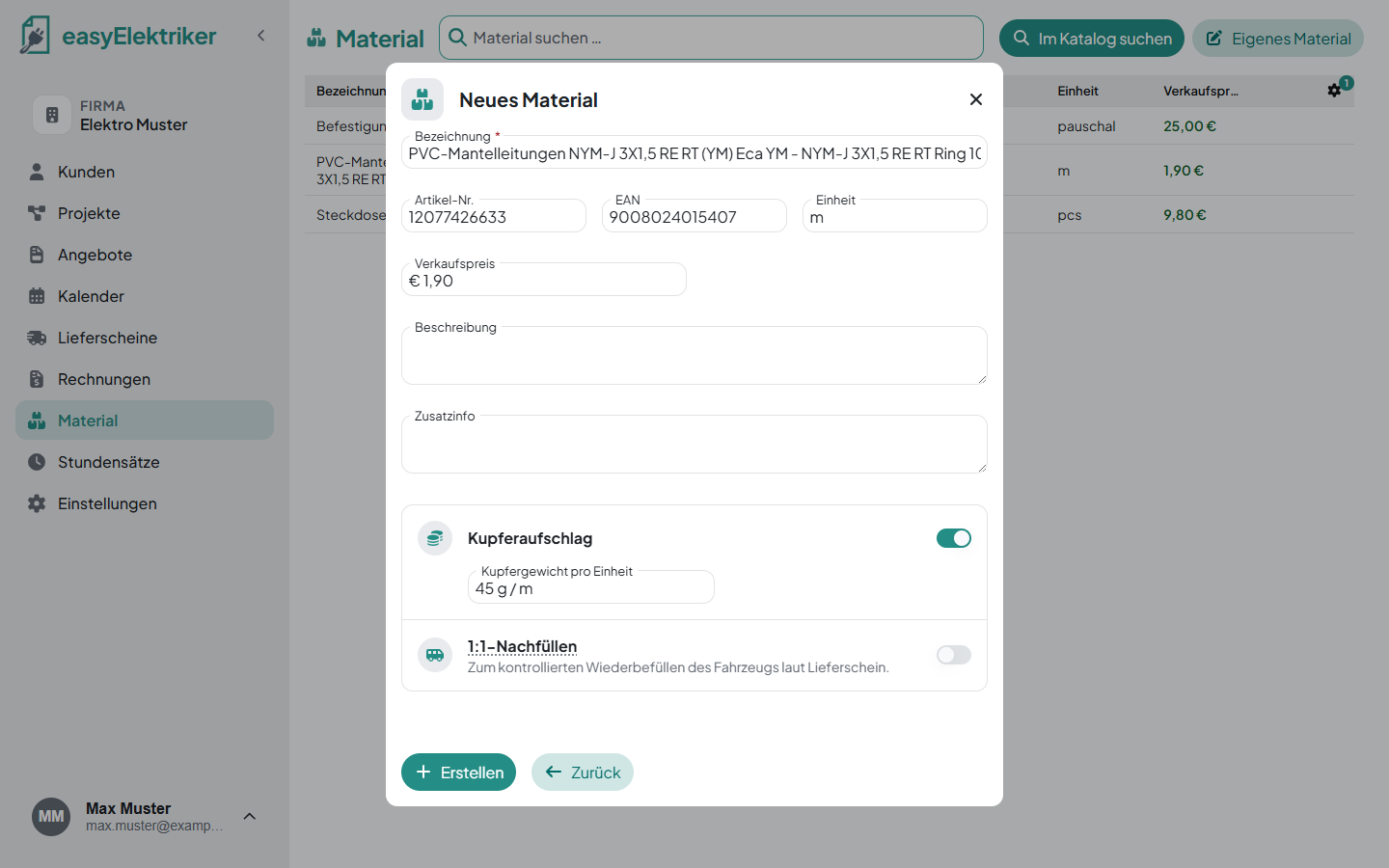
You enter your prices yourself. That way you know for sure they are up to date.
Simply always the current prices: You can also leave the price empty. The invoice then reminds you that the price is still missing, and you check the price exactly when you need it.
If an item isn't in the catalog, click „Eigenes Material“ (own material). All you need is a name, everything else is optional. For example, you bill anchors, screws and terminals as a flat rate called „Befestigungs- und Kleinmaterial“ (fixings and small parts).
Beschreibung (description): Shows up for your customer on quotes and invoices.
Zusatzinfo (additional info): Only you and your employees see it. Save other numbers, other names or any other notes here. Search finds the material by these too, for example by the item number of your second wholesaler or an old name for a product.
Under „Einstellungen“ → „Katalog“ (settings, catalog) you choose which wholesaler catalogs you search. With nothing selected, easyElektriker searches all of them.
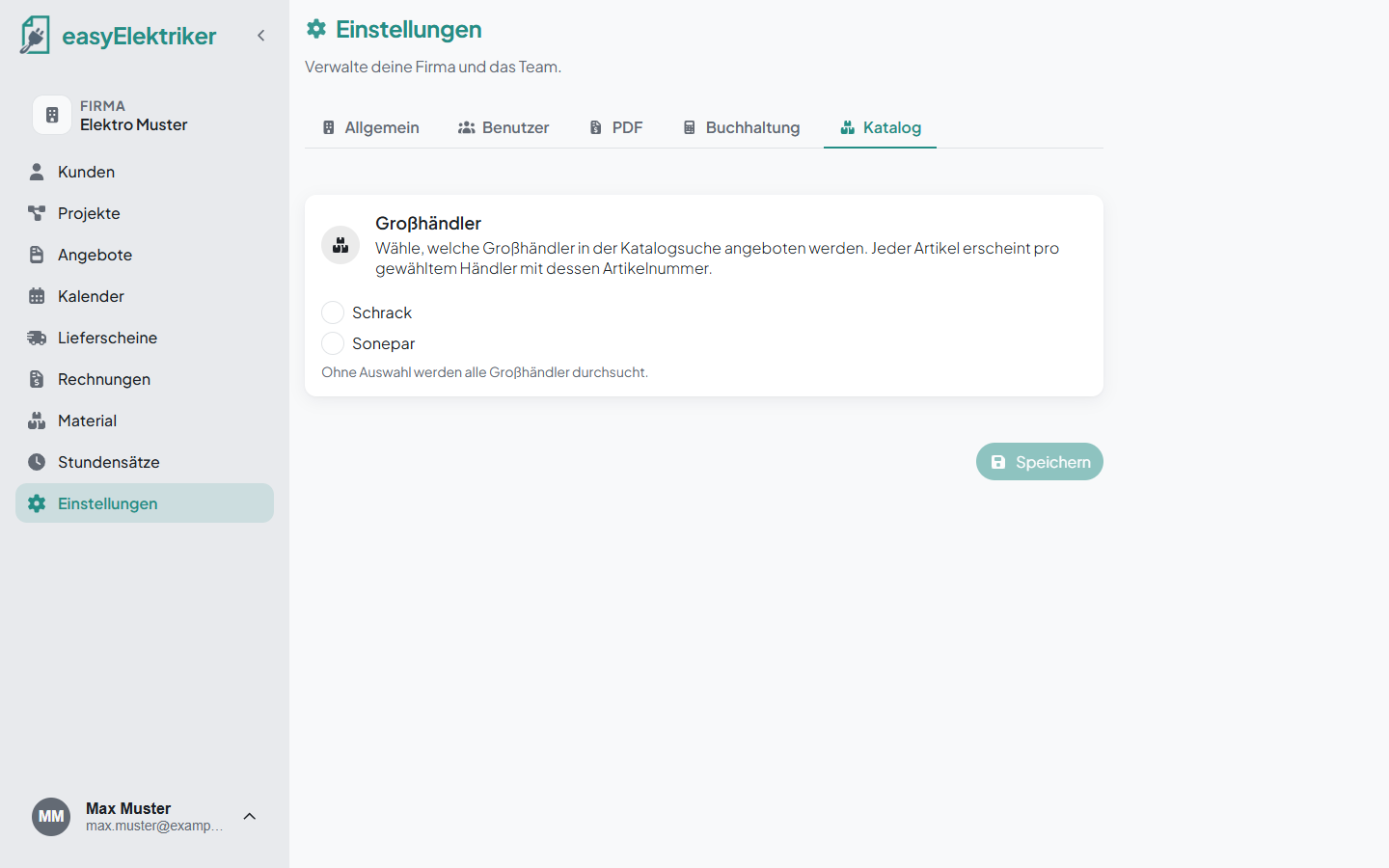
Missing a wholesaler? Just ask us to add it.
Turn on „1:1-Nachfüllen“ (1:1 restocking) for a material and enter how much of it should be in your van. In the evening, the delivery note list shows you how much was used, and you restock exactly that. Example: There are always 100 m of NYM-J 3x1,5 in the van. In the material list you recognize this material by the small van icon.
Read how the system works in our article Fahrzeuglager: 1:1-Nachfüllen statt Zählen (in German).
Edit: Just click a row.
Delete: Click the small trash can in the row.
Search: Type into the „Material suchen …“ field at the top.
Show and hide columns: Click the gear at the top right and tick or untick columns.
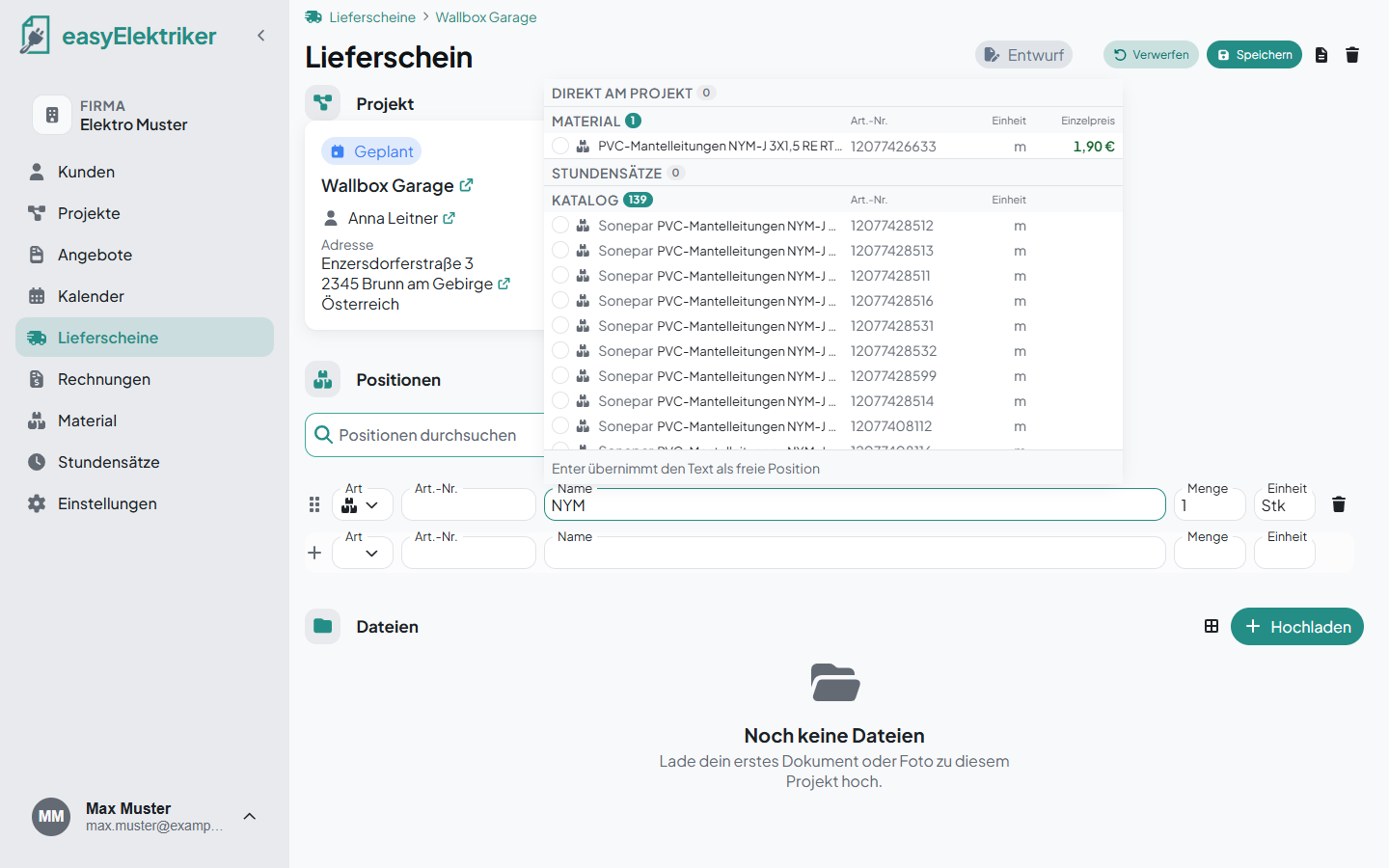
On a delivery note, just type the name into a line item. easyElektriker suggests your material with its price, plus matching items from the catalog.