Does your team work with you? Then simply invite employees to your company. Afterwards they see exactly the areas they need for their work. It doesn't get any easier.
Open „Einstellungen“ (settings) in the sidebar and select the „Benutzer“ (users) tab.
Click „Benutzer einladen“ (invite user) and enter the email address. You can add first and last name too, everything else is optional.
Choose the role. The default is „Arbeiter“ (worker).
Click „Einladung senden“ (send invitation).
Your employee receives the invitation by email.
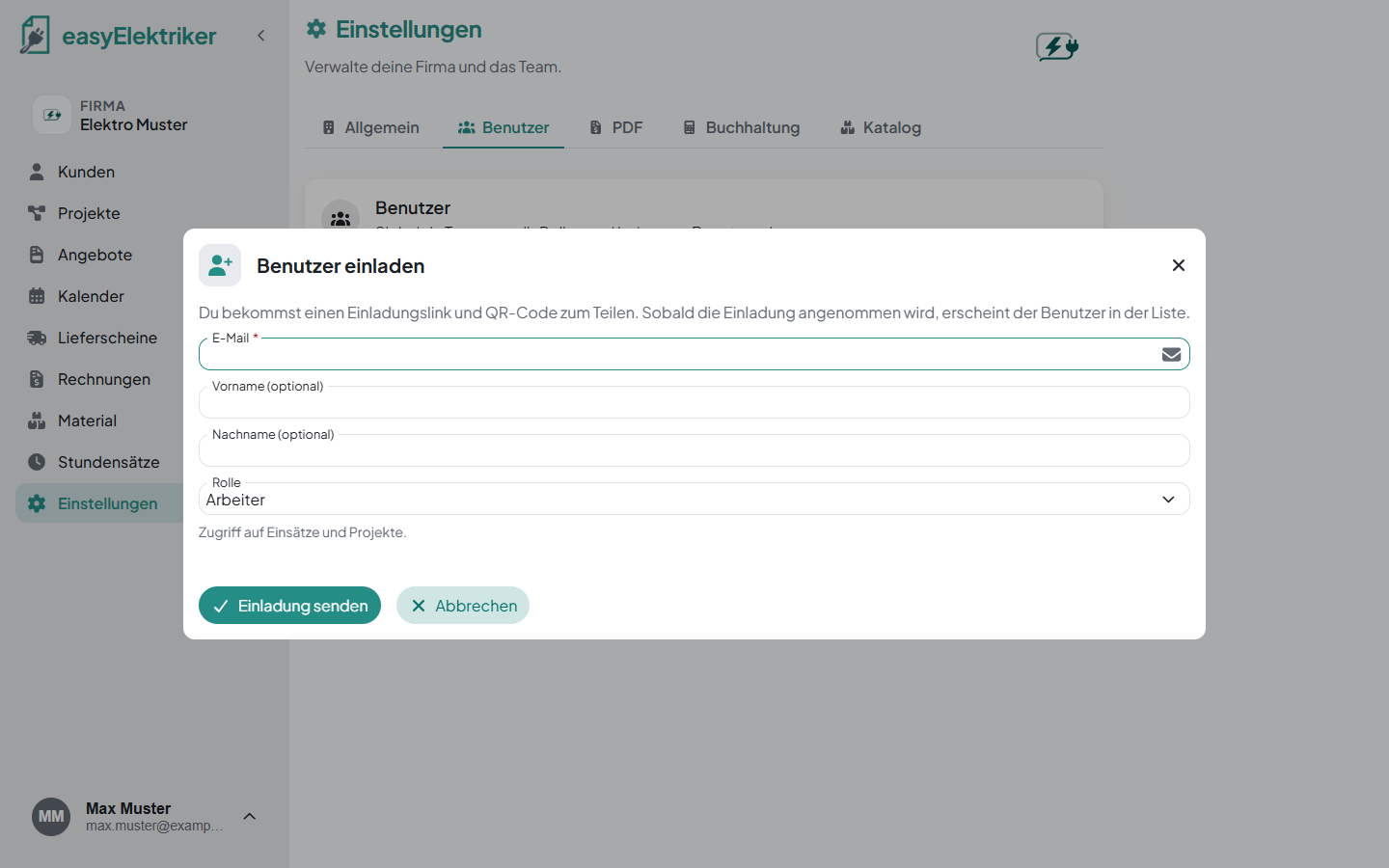
Arbeiter (worker): Access to jobs and projects.
Buchhaltung (accounting): Access to invoices and accounting.
Inhaber (owner): Full access to all areas and settings.
As a worker, the sidebar only shows Kunden (customers), Projekte (projects), Kalender (calendar), Lieferscheine (delivery notes), Material (materials) and Stundensätze (hourly rates).
If you don't have an account yet, set a password when you open the link and click „Konto erstellen & beitreten“ (create account & join). If you already have one, sign in and click „Beitreten“ (join).
Simply handy: After sending, you can copy the link or show the QR code. Your employee scans it with their phone and is in right away.
You change the role in the user list with the selection field. The trash can removes someone from the company.
While an invitation is open, it appears under „Ausstehende Einladungen“ (pending invitations). The paper plane sends it again, the X withdraws it.
If you were invited to several companies, you work in all of them with the same account. Each company has its own customers, projects and appointments. You only ever see the data of the company you are in right now.
Accept each invitation. After joining, the company opens directly.
Click the company name in the sidebar. A list of your companies opens.
Click the company you want to switch to.
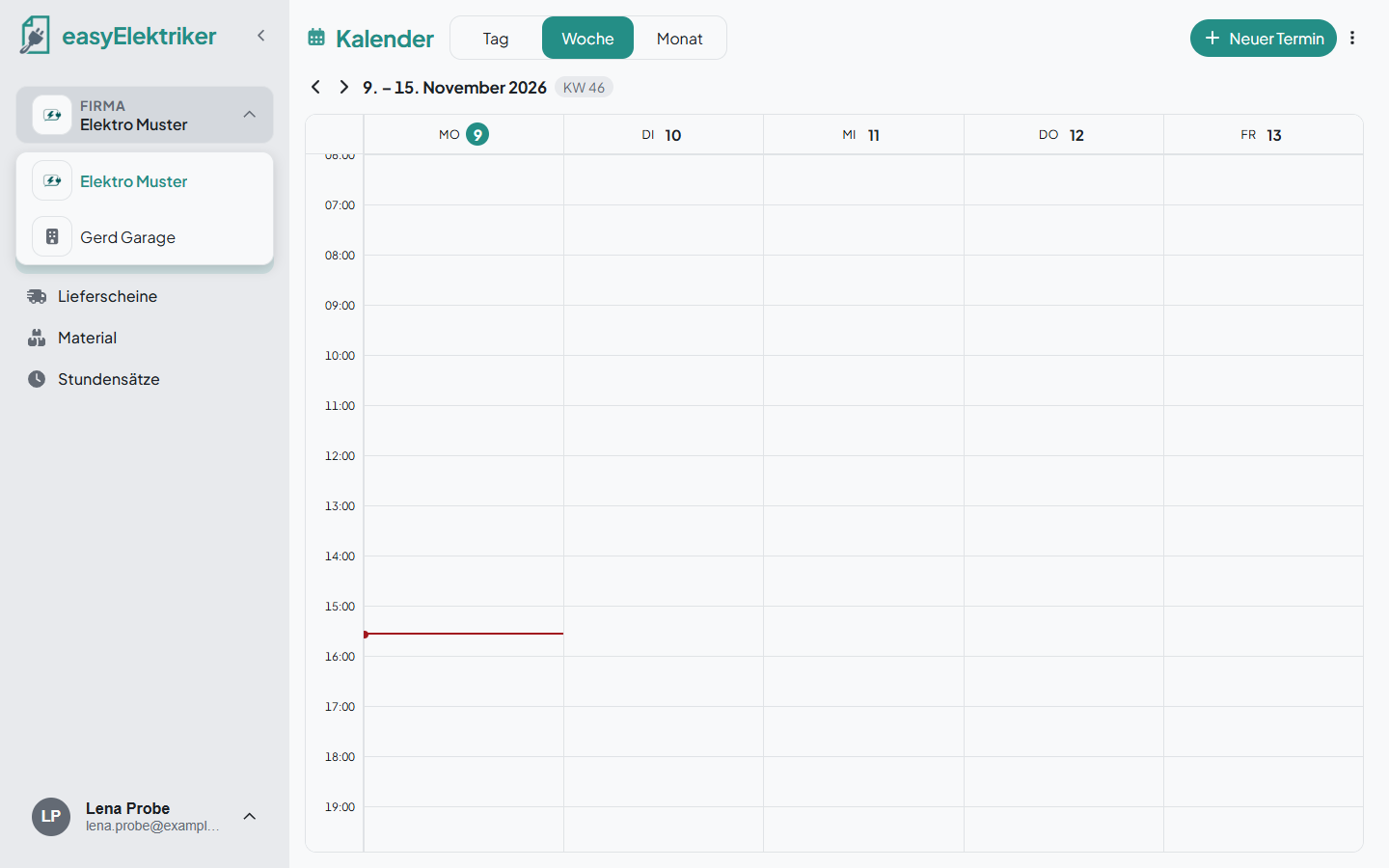
When you sign in, easyElektriker shows you all your companies to choose from. The same works on your phone.